How to Use ReDeepSeek AI Assistants with Clear Expectations
Understand specialist roles, shared limits, privacy and the checks that remain your responsibility.
In this guide
ReDeepSeek’s assistants are task-focused ways to use the site’s configured Gemini connection. A specialist page provides its own instructions and suggested questions. It does not create a separate human expert, a different account or a new quota for each visitor.
Choose a page for the task
Use Email Drafting for a work message, Coding Helper for a small snippet or Productivity Planning for a task list. Give a goal, useful context and a desired format. If the problem is ordinary text arithmetic, a browser tool may finish it without any AI request.
The chat is intended for adults aged 18 and over working on professional and business tasks. Read the adult-use and privacy acknowledgement before sending. The checkbox is a self-declaration; it does not verify identity or establish eligibility under every applicable rule.
Share only what the task needs
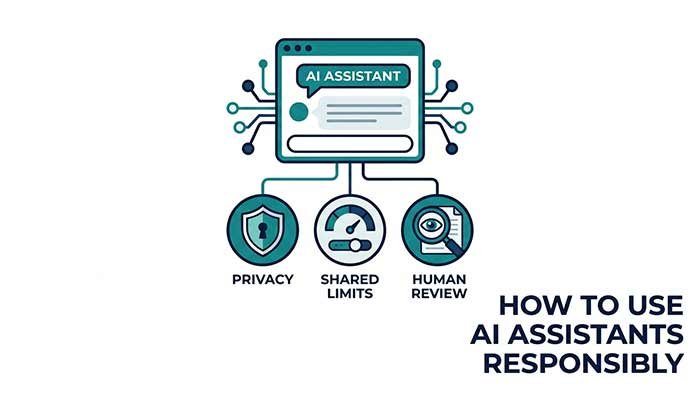
Replace names, addresses, private project details and customer information with placeholders. Never send passwords, API keys, bank details or confidential documents. Questions and recent chat messages are forwarded to Google Gemini to produce a response. Under unpaid-service terms, submitted material may be used for product improvement and human review.
Read the current Google Gemini API terms through the site’s Privacy Notice. Provider conditions can depend on age, region and service plan. The site’s acknowledgement and privacy text do not replace those conditions or verify a visitor’s location.
Know what the chat cannot do
This version accepts text and returns a complete response after generation. It does not browse live websites, inspect uploaded files, send email, create calendar events or execute code. Asking “check the latest price” does not add live browsing capability.
Help me outline a short work message using only these fictional facts. If information is missing, ask one question instead of inventing it. Give a draft and list any assumptions. Do not claim to send the message.
Verify the answer according to the task
Compare a summary with its source passage. Calculate a small arithmetic example yourself. Test code in a suitable environment. Check a formula on fictional spreadsheet rows. For current facts, open reliable current sources independently. A confident answer is not evidence that the information is correct.
Use qualified professional help where the task requires it. Do not use an AI draft as a substitute for medical, legal or financial expertise. The assistants are aids for explanation and drafting, not authorities that decide what you should do.
Understand history and shared limits
The plugin keeps the current conversation in browser memory and does not store transcripts in WordPress. New chat or a page reload clears that local conversation. Download conversation saves successful exchanges to your device. Only limited recent history is sent with a request, so repeat essential context in a long session.
Usage limits apply across the site and provider. Switching assistants does not create an unlimited allowance. If a quota is reached, wait and try later. Browser tools remain a useful option for the tasks they can complete locally.
Questions that often come up
Does choosing a new assistant reset the site quota?
No. All assistant pages share the configured service connection and site request limits.
Can I recover a conversation after reloading?
The plugin does not keep a transcript to restore. Download useful successful exchanges before starting a new chat or reloading.
Try the related pages
This guide was prepared with AI assistance and checked against the behaviour of the ReDeepSeek tools. Review AI answers before using them and report unclear examples through our Contact page.