Encoding, Base64 and SHA-256: What Each Tool Does
Understand reversible encoding, one-way text digests and the limits of browser conversion tools.
In this guide
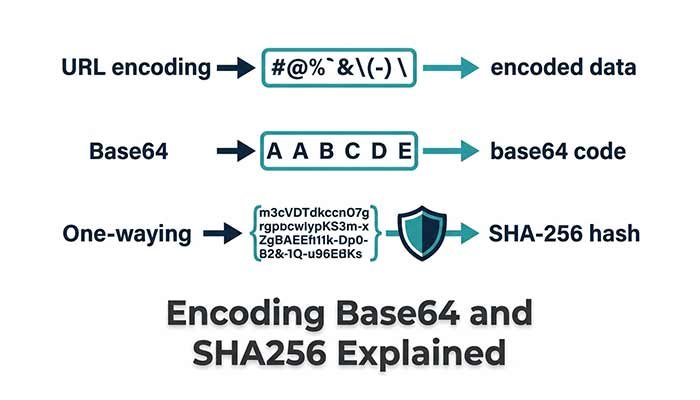
Encoding and hashing serve different purposes. Encoding represents data in another form so it can be carried or displayed. A hash calculates a fixed-size digest from input bytes. Neither should be confused with a complete method for protecting a secret.
Encode one URL component
URL Component Encoder converts a value such as “hello world” to “hello%20world”. This is useful when preparing a query parameter value. Encoding “a&b” makes the ampersand part of the value instead of a query separator.
The tool uses component encoding, so a full URL’s colons and slashes are also encoded. It does not preserve a complete address structure. During decoding, a plus sign remains a plus; it is not automatically treated as a form-encoded space. Invalid percent sequences produce an error.
Treat Base64 as reversible representation
The UTF-8 text “Hello” becomes “SGVsbG8=” in standard Base64. Decoding returns the original text. Anyone with the encoded value can perform that reversal, so Base64 does not hide a password or API key.
The ReDeepSeek tool supports text, not arbitrary binary files. Decoding expects valid standard Base64 with appropriate padding and UTF-8 bytes. URL-safe Base64 uses a different alphabet and is outside this tool’s stated scope. A decoding error can indicate the wrong variant or nontext bytes.
Escape HTML for display
HTML Entity Encoder replaces characters such as < and & so an example can be represented as text. The decoder handles a limited named set and numeric references. Its result stays in a text field, so decoding a snippet here does not execute it.
That does not make the snippet safe in every software context. Inserting a decoded value as live HTML elsewhere can create a security problem. The correct escaping depends on where data is used, such as HTML text, an attribute or a script.
Hash exact text with SHA-256
SHA-256 Text Hash Generator converts the input to UTF-8 bytes and displays a 64-character hexadecimal digest. The text “abc” gives ba7816bf8f01cfea414140de5dae2223b00361a396177a9cb410ff61f20015ad. Adding a space or newline changes the input bytes and the digest.
The tool does not trim or normalize input. Visually similar text can have different underlying Unicode forms. A matching digest is useful for comparing exact samples, but it does not establish who created them. SHA-256 alone is not a suitable password-storage system.
Check purpose before choosing a tool
Use component encoding for a URL value, Base64 for a compatible text representation and a digest for exact-input comparison. If you need confidentiality, these conversion tools are not a substitute for an appropriate security system. Do not paste real credentials into a chat to ask whether their encoded form looks correct.
Questions that often come up
Can I decode a SHA-256 hash?
There is no Base64-style decoding operation for a hash. Do not treat hashing as reversible encoding.
Does Base64 protect an API key?
No. It can be decoded. Keep keys in server-side configuration and do not publish either their original or encoded form.
Try the related pages
- URL Component Encoder / Decoder
- Base64 Text Encoder / Decoder
- HTML Entity Encoder / Decoder
- SHA-256 Text Hash Generator
This guide was prepared with AI assistance and checked against the behaviour of the ReDeepSeek tools. Review AI answers before using them and report unclear examples through our Contact page.