How to Write Product Descriptions from Verified Facts
Separate specifications, useful wording and unsupported claims before publishing a product description.
In this guide
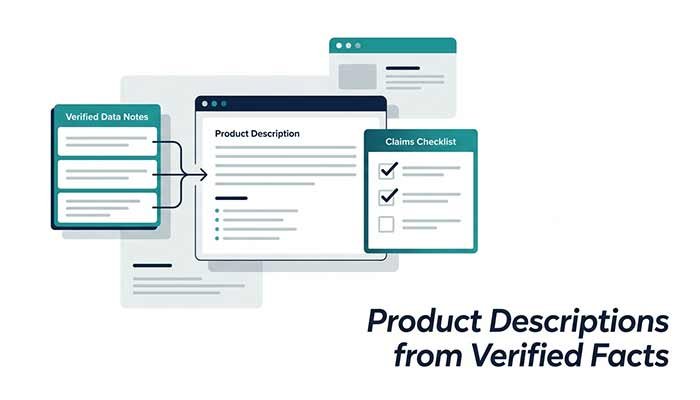
A helpful product description answers a buyer’s practical questions. AI can organize the facts, but it should not fill missing specifications with plausible details. Begin with a verified fact sheet and mark anything unknown before asking for copy.
Make a small fact sheet
For a notebook, your known facts might be A5 size, 160 ruled pages and a soft cover. Paper weight, recycled content and suitability for fountain pens may be unknown. Keep those in a separate “not verified” list rather than allowing the assistant to infer them.
Use the same approach for a digital service: list what is included, what the buyer must supply and the real limitations. Do not provide private supplier agreements or customer information to the chat.
Ask for copy bounded by the facts
Draft an 80-word description for a notebook with 160 ruled pages, A5 size and a soft cover. Use only these facts. Add a short specification list. Do not invent paper weight, recycled material, waterproofing, certifications or compatibility with every pen. If a detail is missing, leave it out.
A useful draft can say that the notebook provides ruled pages for notes. It should not say that the paper prevents ink bleeding unless that has been tested or documented. Attractive wording does not turn an assumption into a product property.
Separate features from benefits
Features are verifiable attributes such as size and page count. Benefits explain how a feature may help a user, but they still need a reasonable connection to the feature. “A5 format” is a fact. “Fits every bag” is an overbroad claim because bags vary.
Ask the assistant to flag each sentence that goes beyond the fact sheet. Replace unsupported absolutes with accurate wording or remove them entirely. Do not invent testimonials to make the description sound convincing.
Check buyer questions
Does the description make the included items clear? Are units and dimensions stated consistently? Does “160 pages” mean pages rather than sheets? If you do not know, ask the supplier instead of letting a model choose. Where price, delivery or returns matter, verify those in your own store settings.
Publish only after a factual review
Compare the finished copy with the actual product and documentation. Check photos, variant labels and any claim about safety, environment or performance. These may require evidence beyond an ordinary description. The assistant cannot test a product or certify it.
Keep the approved fact sheet with the description so future revisions stay grounded. If the product changes, revise both together. A short accurate description is more useful than a longer one containing details you cannot support.
Questions that often come up
Can I ask AI to make the product sound better?
Ask for clearer organization and wording while keeping the same facts. Do not add invented benefits, reviews or certifications.
What if a specification is missing?
Confirm it from the product or an authoritative supplier document. Leave it out of the public description until it is verified.
Try the related pages
This guide was prepared with AI assistance and checked against the behaviour of the ReDeepSeek tools. Review AI answers before using them and report unclear examples through our Contact page.

