How to Debug a Small Code Example with AI
Provide a minimal example, identify the expected result and verify the proposed fix with meaningful tests.
In this guide
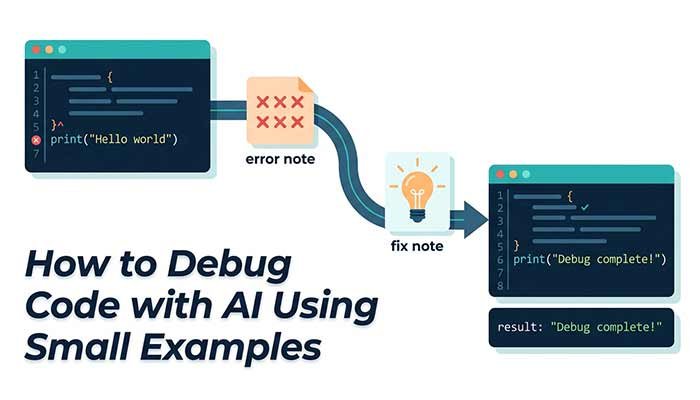
AI can help explain a bug, but debugging still depends on observing actual behaviour. Give the assistant a small reproducible example, the expected result and the result you obtained. Keep credentials, private endpoints and customer data out of the conversation.
Reduce the problem first
Remove unrelated code until the issue can be shown in a short snippet. State the language, runtime and relevant library version. An error message without context may have several causes. Explain what input triggered it and what you already tried.
Consider a small JavaScript function: function average(xs) { return xs.reduce((a,b)=>a+b,0)/xs.length; }. It works for some numeric arrays, but an empty array produces an invalid numerical result. Text values can also change how addition behaves.
Ask for a cause, not just replacement code
Explain the behaviour of this average function for [2,4], [], and [2,"4"]. Identify the input assumptions. Propose validation and meaningful tests. State that you have not executed the code and do not introduce a dependency for this small task.
The useful question is what input the function should accept. Should an empty list be an error, a null result or another documented value? Decide that requirement before applying a patch. Otherwise, the assistant may choose a behaviour that does not fit the application.
Test the proposal independently
- A normal case with an answer you can calculate: [2,4] should average to 3.
- An empty array: confirm the documented behaviour.
- A nonnumeric item: ensure it is rejected or handled as specified.
- A negative or decimal value: check that valid numbers remain supported.
Tests should check intended behaviour, not merely repeat the implementation’s arithmetic. Include a case that would fail with the original bug. Run the code in a safe local test environment and read the actual result.
Review what changed around the fix
Check whether the patch alters error handling, return type or supported inputs. A fix for one example can create a new problem for another caller. If the assistant proposes a shell command, understand it before running it. Never execute a destructive operation simply because it appears in a generated answer.
Use current documentation where needed
The assistant has no live web access in this site. When a question depends on a library API or a recent version, consult the official documentation and provide the relevant excerpt. Do not accept invented methods or packages as verified facts.
Keep a record of the original failure, the requirement you chose and the passing test. That evidence makes the change easier to review than a statement that the new code “looks correct”. AI suggestions are a starting point; actual execution establishes whether your example works.
Questions that often come up
Did the assistant run my code?
No. This chat generates explanations and suggestions. Execute code yourself in a suitable test environment and compare the results.
Should I paste a full repository?
No. Provide the smallest relevant nonconfidential example, versions and an anonymized error message. Remove keys and tokens.
Try the related pages
This guide was prepared with AI assistance and checked against the behaviour of the ReDeepSeek tools. Review AI answers before using them and report unclear examples through our Contact page.